← Back to Course
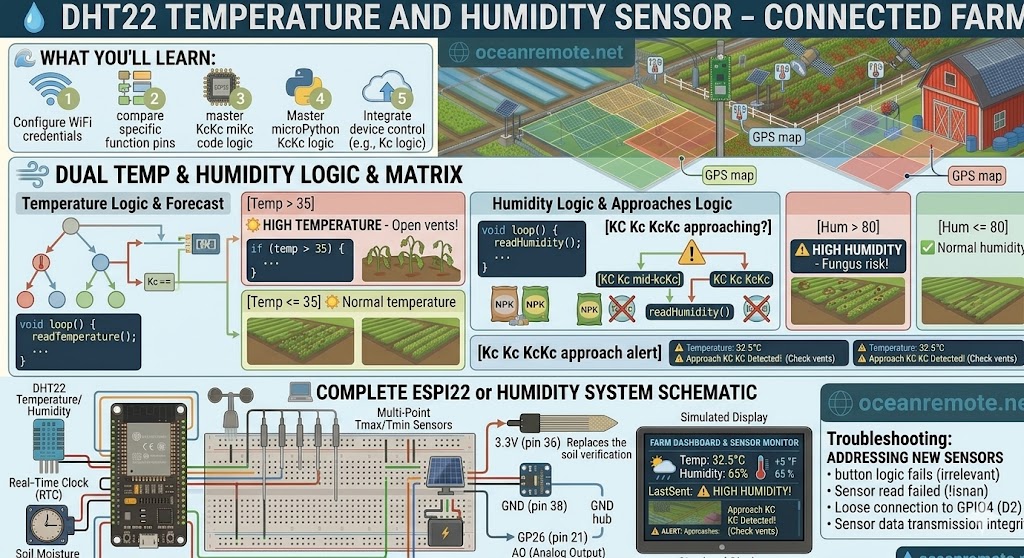
DHT22 Temperature and Humidity Sensor
🌡️ DHT22 Temperature and Humidity Sensor for ESP8266
🌡️ What You'll Learn:
- 🔌 Wire DHT22 to ESP8266 (3 wires + pull-up resistor)
- 📊 Read temperature (-40 to 80°C) and humidity (0-100%)
- ⚠️ Get alerts for heat waves and high humidity
- 💻 Complete code with error handling
🔌 Wiring Diagram
DHT22 Sensor              ESP8266 (NodeMCU)
══════════════            ════════════════
VCC (Pin 1)     ─────►    3.3V
GND (Pin 4)     ─────►    GND
DATA (Pin 2)    ─────►    GPIO4 (D2)

⚠️ CRITICAL: Add 10kΩ pull-up resistor between DATA and 3.3V!

    3.3V ──┬── 10kΩ ──┬── DHT22 DATA
           │          │
           └──────────┴── ESP8266 GPIO4

DHT22 pins (front view, pins facing you):
    ┌─────────────┐
    │ (1) VCC     │
    │ (2) DATA    │
    │ (3) NC      │
    │ (4) GND     │
    └─────────────┘
💡 Library Installation:
- Open Arduino IDE → Sketch → Include Library → Manage Libraries
- Search for "DHT sensor library" by Adafruit
- Click Install
- Also install "Adafruit Unified Sensor Library"
📖 Complete Code
#include <DHT.h>

#define DHTPIN 4      // GPIO4 (D2 on NodeMCU)
#define DHTTYPE DHT22

DHT dht(DHTPIN, DHTTYPE);

void setup() {
    Serial.begin(115200);
    dht.begin();
    Serial.println("🌡️ DHT22 Weather Monitor Started");
}

void loop() {
    delay(2000);  // DHT22 needs 2 seconds between readings!

    float temp = dht.readTemperature();
    float hum = dht.readHumidity();

    if (isnan(temp) || isnan(hum)) {
        Serial.println("❌ Sensor read failed! Check wiring.");
        return;
    }

    Serial.println("━━━━━━━━━━━━━━━━━━━━━━━━━━━━━━━━━━");
    Serial.printf("🌡️ Temperature: %.1f°C | %.1f°F\n", temp, temp * 9/5 + 32);
    Serial.printf("💧 Humidity: %.0f%%\n", hum);

    // Crop recommendations
    if (temp > 35) {
        Serial.println("⚠️ HEAT WARNING! Increase irrigation, open vents");
    } else if (temp > 30) {
        Serial.println("☀️ Warm - Monitor moisture levels");
    } else if (temp < 10 && temp > 0) {
        Serial.println("❄️ Cool - Delay planting warm-season crops");
    } else if (temp < 0) {
        Serial.println("🚨 FROST WARNING! Protect crops immediately!");
    }

    if (hum > 85) {
        Serial.println("⚠️ HIGH HUMIDITY! Risk of fungal disease");
        Serial.println("   → Increase ventilation, reduce watering");
    } else if (hum < 30) {
        Serial.println("⚠️ LOW HUMIDITY! Plants stressed");
        Serial.println("   → Misting recommended");
    }

    Serial.println("━━━━━━━━━━━━━━━━━━━━━━━━━━━━━━━━━━\n");
}
⚠️ Troubleshooting:
- ❌ "Sensor read failed": Add delay(2000) between readings (DHT22 needs 2 seconds!)
- ❌ Constant 0% humidity: Missing 10kΩ pull-up resistor
- ❌ Temperature stuck at -40°C: Bad connection on DATA pin
- ❌ ESP8266 resets: Add 100μF capacitor across VCC and GND
🎯 Quick Reference:
- 🔌 Pins: VCC→3.3V, GND→GND, DATA→GPIO4
- 🔧 10kΩ pull-up resistor REQUIRED between DATA and 3.3V
- ⏱️ Delay 2000ms between readings (critical!)
- 🌡️ Temp >35°C = heat stress, <10°C = frost risk
- 💧 Humidity >85% = fungus risk
💡 Key Takeaways:
- Apply these concepts directly to your farm or project.
- Take notes on important details for the quiz.
- Use the button below to track your progress.
×
![Enlarged view]()