← Back to Course
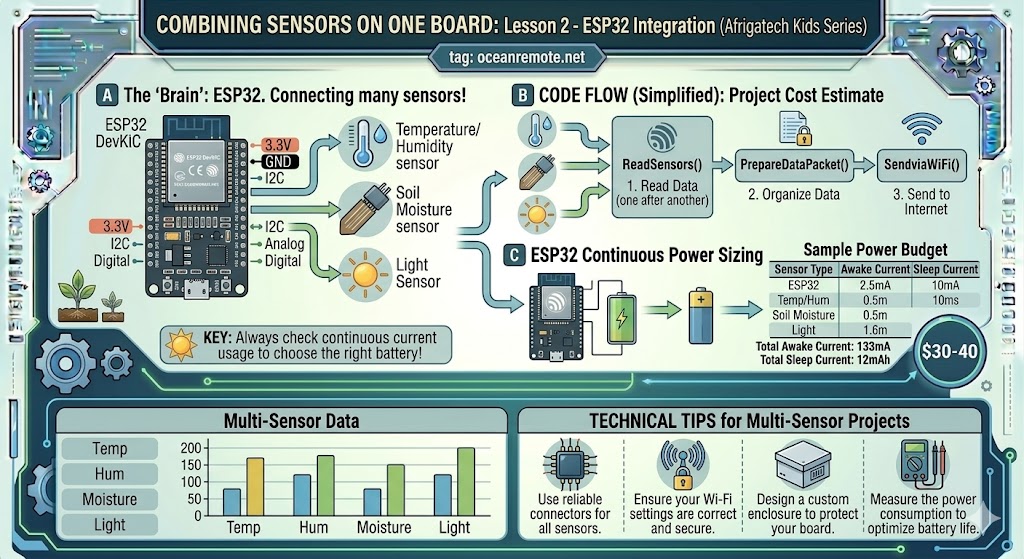
Combining Multiple Sensors on One Board
🔄 Combining Multiple Sensors - Complete Farm Monitor
🌾 What You'll Learn:
- 🔌 Connect soil moisture, temperature, humidity, and rain sensors together
- 📊 Make smart irrigation decisions based on multiple data points
- 💧 Skip irrigation when rain is detected automatically
- 📈 Create a complete farm monitoring dashboard
📋 Complete Component List
| Sensor | Pin | Measures |
|---|---|---|
| Soil Moisture (Capacitive) | GPIO32 | Water content 0-100% |
| DS18B20 (Soil Temp) | GPIO4 (OneWire) | Soil temperature -55 to +125°C |
| DHT22 (Air Temp/Humidity) | GPIO16 | Air temperature and humidity |
| Rain Sensor | GPIO33 | Rain detection (LOW = raining) |
📖 Complete Multi-Sensor Code
#include <WiFi.h>
#include <DHT.h>
#include <OneWire.h>
#include <DallasTemperature.h>

// ========== WIFI CONFIGURATION ==========
const char* ssid = "YOUR_WIFI";
const char* password = "YOUR_PASSWORD";

// ========== PIN DEFINITIONS ==========
#define SOIL_PIN 32          // Capacitive soil moisture
#define ONE_WIRE_BUS 4       // DS18B20 soil temperature
#define DHTPIN 16            // DHT22 air temp/humidity
#define DHTTYPE DHT22
#define RAIN_PIN 33          // Rain sensor (LOW = rain)

// ========== SENSOR CALIBRATION ==========
const int DRY_VALUE = 3800;
const int WET_VALUE = 1500;

OneWire oneWire(ONE_WIRE_BUS);
DallasTemperature soilTemp(&oneWire);
DHT dht(DHTPIN, DHTTYPE);

void setup() {
    Serial.begin(115200);
    soilTemp.begin();
    dht.begin();
    pinMode(RAIN_PIN, INPUT_PULLUP);

    // Connect to WiFi
    WiFi.begin(ssid, password);
    while (WiFi.status() != WL_CONNECTED) delay(500);
    Serial.println("✅ Connected to WiFi");
}

void loop() {
    // ========== READ ALL SENSORS ==========

    // 1. Soil Moisture
    int soilRaw = analogRead(SOIL_PIN);
    int soilMoisture = map(soilRaw, DRY_VALUE, WET_VALUE, 0, 100);
    soilMoisture = constrain(soilMoisture, 0, 100);

    // 2. Soil Temperature (DS18B20)
    soilTemp.requestTemperatures();
    float soilTemperature = soilTemp.getTempCByIndex(0);

    // 3. Air Temperature & Humidity (DHT22)
    float airTemp = dht.readTemperature();
    float humidity = dht.readHumidity();

    // 4. Rain Detection
    bool isRaining = (digitalRead(RAIN_PIN) == LOW);

    // Validate readings
    if (isnan(airTemp) || isnan(humidity)) {
        Serial.println("❌ DHT22 read error!");
        airTemp = -999;
        humidity = -999;
    }

    // ========== DISPLAY REPORT ==========
    Serial.println("\n╔════════════════════════════════════════════╗");
    Serial.println("║         🌾 COMPLETE FARM REPORT           ║");
    Serial.println("╚════════════════════════════════════════════╝");

    Serial.printf("💧 Soil Moisture: %d%%\n", soilMoisture);
    Serial.printf("🌡️ Soil Temperature: %.1f°C\n", soilTemperature);
    Serial.printf("🌬️ Air Temperature: %.1f°C\n", airTemp);
    Serial.printf("💨 Humidity: %.1f%%\n", humidity);
    Serial.printf("☔ Raining: %s\n", isRaining ? "❌ NO" : "✅ YES");

    // ========== IRRIGATION DECISION ==========
    Serial.println("\n🎯 IRRIGATION RECOMMENDATION:");

    if (isRaining) {
        Serial.println("   ☔ Rain detected - SKIP irrigation");
    }
    else if (soilMoisture < 30) {
        Serial.println("   🚨 SOIL DRY - START irrigation NOW!");
    }
    else if (soilMoisture < 45) {
        Serial.println("   ⚠️ Soil drying - Plan irrigation soon");
    }
    else if (soilMoisture > 80) {
        Serial.println("   ✅ SOIL WET - STOP irrigation");
    }
    else {
        Serial.println("   ✅ Soil moisture adequate - No action needed");
    }

    // Temperature alerts
    if (airTemp > 35) {
        Serial.println("\n🔥 HEAT ALERT: Consider shading crops");
    }
    if (airTemp < 5 && !isRaining) {
        Serial.println("\n❄️ FROST ALERT: Protect sensitive crops");
    }

    Serial.println("\n════════════════════════════════════════════\n");

    delay(60000); // Read every minute
}
💡 Smart Decision Logic:
- Rain detected: Skip irrigation regardless of soil moisture
- Soil < 30%: Start irrigation immediately
- Soil > 80%: Stop irrigation to prevent root rot
- Heat alert: Temperature > 35°C - crops stressed
⚠️ Troubleshooting Multi-Sensor Issues:
- DHT22 failing: Add delay(2000) between readings
- DS18B20 not detected: Check pull-up resistor (4.7kΩ)
- Rain sensor always HIGH: Adjust potentiometer on module
🎉 Next Steps:
- ✅ Add a relay to automate irrigation based on decisions
- ✅ Send data to OceanRemote cloud dashboard
- ✅ Add solar power for remote field deployment
- ✅ Set up SMS/email alerts for critical conditions
💡 Key Takeaways:
- Apply these concepts directly to your farm or project.
- Take notes on important details for the quiz.
- Use the button below to track your progress.
×
![Enlarged view]()